Real glass on the web: a refracting search bar in WebGL, with the code
backdrop-filter can blur. It can't bend. How to build a glass panel that refracts, splits and catches the light, keeps its label readable, and works in every browser, with the full code.
Live · GlassSearchBarScroll the page, the picture moves behind the glassOn beamish.ink ↗
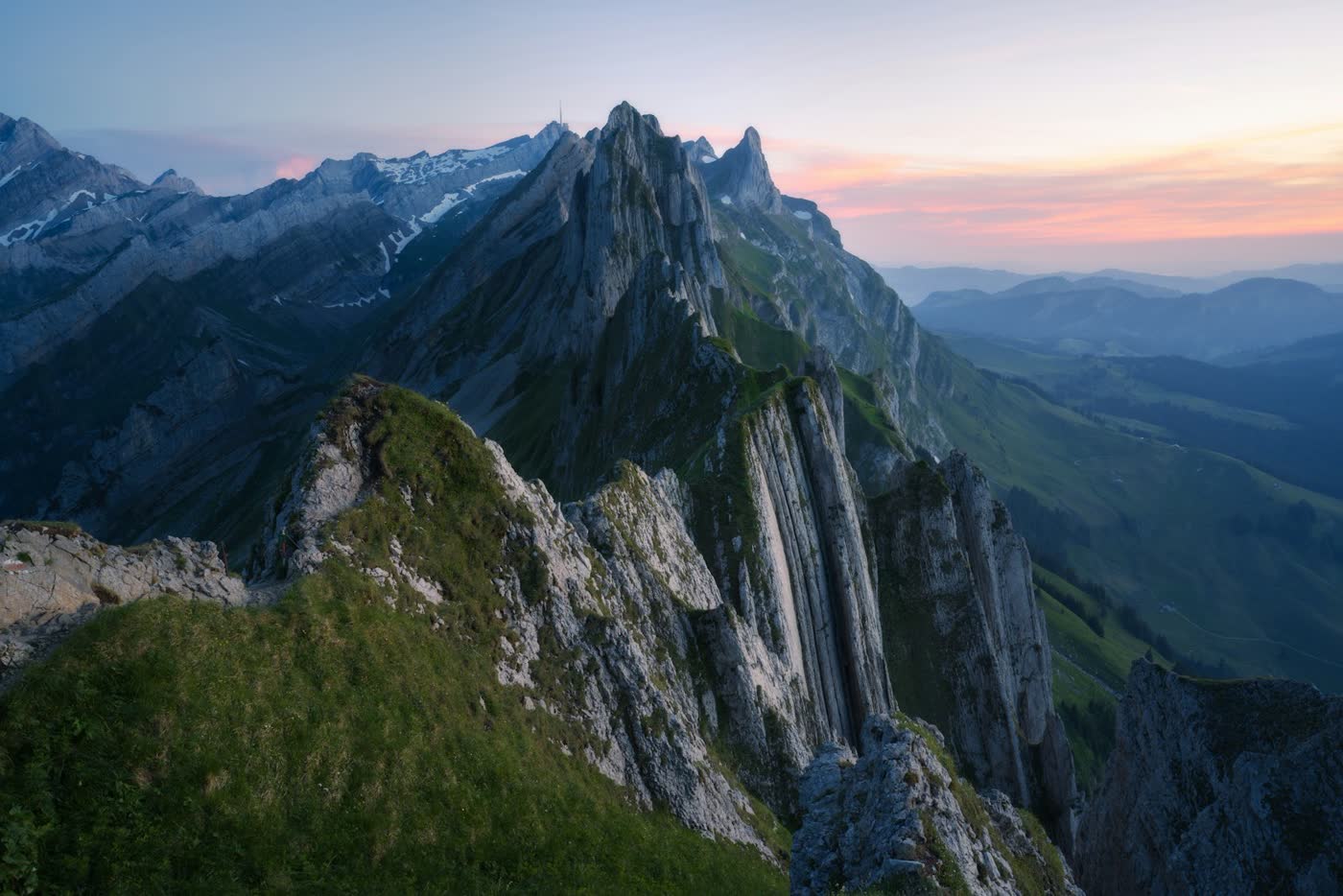
That’s a slab of glass sitting on a photograph, with a real search field on top. Scroll the page and watch the edge of it. The ridgeline bends as it passes under the bevel, and the colours split slightly at the rim, the way they do through a real piece of glass.
It’s one of the effects from beamish.ink. Here’s how it works, the one trade-off you have to accept, and the code.
Why not just use CSS
backdrop-filter: blur() gets you frosted plastic. It blurs what’s behind an element. It can’t bend it, and bending is most of what makes glass look like glass.
There is a CSS route that bends: an SVG displacement filter applied to the backdrop. It works in Chrome. Safari ignores SVG filters in backdrop-filter completely. Firefox accepts the value, passes an @supports test, and then draws nothing. So there’s no feature check that tells you the truth, and a build that looks perfect in Chrome ships a plain blur to everyone else without a warning.
So the panel owns its own backdrop instead. That’s the trade, and it’s worth being plain about: this refracts the picture you give it, not whatever happens to be on the page behind it. If something needs to sit on the glass, it goes in the HTML above the canvas.
What glass actually does
Four things, and each one is a few lines of shader.
It bends. The slab is a rounded rectangle described as a distance field: for every pixel, how far it is from the edge. The direction of that field is the slope of the surface, and light bends along it. The bending is weighted towards the edge, because the middle of a slab is flat and only the bevel has an angle to refract through. That’s why the centre stays readable and the rim distorts.
It splits. Glass bends red, green and blue by slightly different amounts. So the three channels are sampled at slightly different offsets. That faint fringe at the edge is the single cheapest thing that stops a shape reading as plastic.
It catches the light. The slope plus a height gives a proper 3D normal, so the highlight moves round the bevel as the light moves, rather than sitting where somebody painted it.
It sits on something. There’s a soft shadow underneath. Without it, the panel looks like a hole cut in the picture rather than an object resting on it.
Keeping the label readable
This is the bit that catches everyone out. Text on glass over a photograph has whatever contrast the photograph happens to give it at that moment, which is how Apple’s Liquid Glass ended up being taken apart for legibility.
The answer here is to dim the picture under the glass and use light labels. I tried the opposite first, milking the glass towards white for dark text. It measured fine and looked dead, because washing a photograph towards white flattens all the detail. A darkened photograph still looks like a photograph.
Two options control it. level is the brightness the backdrop is pulled towards: low for light labels, high for dark ones. luminosity is how far it’s pulled. The defaults, 0.62 and 0.13, are the first setting where every label on the capsule passes 4.5:1 against the brightest patch underneath it, not just the typed text. With no dimming at all, the same white text measures about 1.5:1.
Those numbers are for this photograph. Measure yours against the worst patch under the labels, at every point in the scroll, not the average.
The markup
The picture is an ordinary img, so a browser that never runs the script still shows it, and the alt text is whatever you wrote. The control is a real form above the canvas, so it can be focused, typed into, read aloud and submitted without WebGL ever starting.
<div id="hero" class="hero"> <img src="/mountain.jpg" alt="Mountain ridges at dawn" /> <form class="hero__capsule" role="search" action="/search"> <label class="visually-hidden" for="q">Search the site</label> <input id="q" type="search" name="q" placeholder="Search the site" /> </form></div><script type="module"> import { createGlassSearchBar } from './beamish/effects/glass-search-bar/core.js'; const glass = createGlassSearchBar(document.querySelector('#hero')); glass.start();</script>
Line the form up with panelX, panelY, panelWidth and panelHeight. They’re all shares of the element, so the glass and the control stay together through a resize. Two small details: the label is the accessible name, not the placeholder, which disappears the moment anyone types. And the focus ring goes on the capsule, not the input, because the input has no edge of its own. The glass is its edge.
What should go on glass
Apple’s own rule for this material is stricter than most people apply it: glass is for the layer that floats above content, like controls, toolbars and navigation. Not for the content itself. So a search bar, a nav, a set of buttons. Not a paragraph, not a card full of text.
The code
The effect is one file, shaders included, plus the runtime every effect in the Lab shares.
/* * GlassSearchBar: Beamish * https://beamish.ink/effects/glass-search-bar * * A slab of glass laid on a picture. * * Not a blur with a white border round it. The reason this is WebGL and not * CSS is the first thing in the list: `backdrop-filter` can blur what is behind * an element but it cannot bend it, and bending is most of what glass is. The * one CSS route that bends, an SVG displacement filter on the backdrop, is * Chromium only and fails silently everywhere else. * * So the panel owns its own backdrop. The picture comes from the host element's * own <img> child and is drawn by this shader, which means every pixel behind * the glass is one the shader can sample, bend, split and blur. That is the * trade: it refracts a picture rather than arbitrary page content. * * The slab is a signed distance field for a rounded rectangle. Light bends * along that field's gradient, which is the surface normal, by an amount * weighted towards the edge, because the middle of a slab is flat and only the * bevel has an angle to refract through. The three channels bend by slightly * different amounts, which is dispersion and is the cheapest thing that makes * a shape read as glass rather than as plastic. * * Scrolling moves the picture behind the glass, which is the point: a static * refraction is a texture, and a refraction you can push things through is a * lens. */import { mount, type BaseOptions, type EffectHandle, type Scroll, type Surface } from '../../shared/runtime'export type GlassSearchBarOptions = BaseOptions & { /** The tint the glass leaves, and the colour its highlights take. */ glass: string /** Centre of the panel across the element, 0 to 1. */ panelX: number /** Centre of the panel down the element, 0 to 1. */ panelY: number /** Width of the panel as a share of the element. */ panelWidth: number /** Height of the panel as a share of the element. */ panelHeight: number /** Corner radius in CSS pixels. */ radius: number /** How far in from the edge the bevel reaches, in CSS pixels. */ bevel: number /** How far the bevel bends what is behind it, in CSS pixels. */ refraction: number /** How far the three channels separate as they bend. */ dispersion: number /** Frosting, as a blur radius in CSS pixels. */ frost: number /** How brightly the bevel catches the light. */ specular: number /** How tight that catch is. */ shine: number /** How much the rim brightens where you look through the most glass. */ fresnel: number /** The bright hairline just inside the edge. */ edge: number /** How much colour the glass leaves on what passes through it. */ tint: number /** How far the backdrop's brightness is pulled toward `level`. */ luminosity: number /** The brightness it is pulled toward. */ level: number /** Where the light is, across the panel. */ lightX: number /** Where the light is, down the panel. */ lightY: number /** How far the shadow under the slab reaches, in CSS pixels. */ shadow: number /** How far the picture travels behind the glass over a full scroll. */ travel: number}/* * Kept in step with meta.json by `pnpm generate`, which fails if the two drift. * meta.json is the source of truth; this object exists so the file stands alone. */export const glassSearchBarDefaults: GlassSearchBarOptions = { glass: '#ffffff', panelX: 0.5, panelY: 0.82, panelWidth: 0.44, panelHeight: 0.115, radius: 200, bevel: 14, refraction: 30, dispersion: 6, frost: 2, specular: 0.35, shine: 40, fresnel: 0.06, edge: 0.25, tint: 0.22, luminosity: 0.62, level: 0.13, lightX: -0.5, lightY: 0.7, shadow: 22, travel: 1}// beamish:shader-begin shaders/glass-search-bar.vertconst VERT = `#version 300 es// Full-screen triangle from gl_VertexID. No buffers, no attributes. Bind an// empty VAO and drawArrays(TRIANGLES, 0, 3).void main() { vec2 p = vec2(float((gl_VertexID << 1) & 2), float(gl_VertexID & 2)); gl_Position = vec4(p * 2.0 - 1.0, 0.0, 1.0);}`// beamish:shader-end// beamish:shader-begin shaders/glass-search-bar.fragconst FRAG = `#version 300 esprecision highp float;/* * GlassSearchBar: a slab of glass laid on a picture. * * Not a blur with a white border. Every part of this is something glass * actually does, and the reason it has to be WebGL rather than CSS is the first * one: backdrop-filter can blur what is behind an element but it cannot bend * it, and bending is most of what glass is. * * Refraction. The slab is a signed distance field, and the direction light * bends is that field's gradient, which is the surface normal. The amount is * weighted towards the edge, because the middle of a slab is flat and only * the bevel has an angle to refract through. * * Dispersion. Glass has a different refractive index per wavelength, so the * three channels are sampled at three slightly different offsets along that * same normal. This is why the edges fringe, and it is the single cheapest * thing that makes a shape read as glass rather than as plastic. * * Frost. A twelve-tap ring, which is not a Gaussian and does not need to be. * * Specular and fresnel. The 2D gradient plus a height gives a 3D normal to * light, so the bevel catches a highlight that moves with the light rather * than a painted-on gloss, and the rim brightens where you are looking * through the most glass. */uniform sampler2D u_image;uniform vec2 u_resolution;uniform vec2 u_imageSize;uniform float u_dpr;uniform float u_scroll;uniform vec4 u_panel;uniform float u_radius;uniform float u_bevel;uniform float u_refraction;uniform float u_dispersion;uniform float u_frost;uniform float u_specular;uniform float u_shine;uniform float u_fresnel;uniform float u_edge;uniform float u_tint;uniform float u_luminosity;uniform float u_level;uniform vec3 u_glass;uniform vec2 u_light;uniform float u_shadow;uniform float u_travel;out vec4 fragColor;const float TAU = 6.28318530718;/* Cover fit, the CSS object-fit rule, with the picture pushed by the scroll. */vec2 cover(vec2 uv, vec2 frame, vec2 image, float shift) { float frameAspect = frame.x / max(frame.y, 1.0); float imageAspect = image.x / max(image.y, 1.0); vec2 scale = imageAspect > frameAspect ? vec2(frameAspect / imageAspect, 1.0) : vec2(1.0, imageAspect / frameAspect); /* * The picture has to be larger than the frame before it can travel through * it. A cover fit leaves almost no slack when the picture and the frame are * close in shape, so the sampled window is shrunk by the travel first, which * is the same thing as zooming the picture in, and the slack that makes is * what the scroll moves through. */ vec2 scaled = scale / (1.0 + shift * 0.0 + u_travel * 0.3); vec2 fitted = (uv - 0.5) * scaled + 0.5; /* * And only as far as that slack. Pushing a picture further than its fit * allows walks off the end of the texture, and the clamp smears the last row * of pixels up the frame, which is a stripe nobody will mistake for a * photograph. */ float spare = max(0.5 - scaled.y * 0.5, 0.0); float offset = clamp(shift * 2.0 - 1.0, -1.0, 1.0) * spare; return vec2(fitted.x, fitted.y + offset);}vec3 pick(vec2 px, vec2 res, float shift) { vec2 uv = px / res; return texture(u_image, cover(vec2(uv.x, 1.0 - uv.y), u_resolution, u_imageSize, shift)).rgb;}/* * Signed distance to a rounded rectangle, negative inside. Exact rather than * sampled: the gradient of this is the surface normal and an approximate * normal shows up immediately as a wobble along the straight runs. */float sdRoundRect(vec2 p, vec2 halfSize, float r) { vec2 q = abs(p) - halfSize + r; return min(max(q.x, q.y), 0.0) + length(max(q, 0.0)) - r;}/* The analytic gradient of the same field. */vec2 sdGradient(vec2 p, vec2 halfSize, float r) { vec2 q = abs(p) - halfSize + r; vec2 s = sign(p); if (q.x > 0.0 || q.y > 0.0) { // Round corner, or the outside of a straight run. vec2 m = max(q, 0.0); return s * normalize(m + 1e-6); } // Inside the straight runs: the nearest edge is whichever is closer. return q.x > q.y ? vec2(s.x, 0.0) : vec2(0.0, s.y);}void main() { vec2 cssRes = u_resolution / max(u_dpr, 0.001); float shortSide = min(cssRes.x, cssRes.y); vec2 cssPx = gl_FragCoord.xy / max(u_dpr, 0.001); float shift = u_scroll; vec3 col = pick(cssPx, cssRes, shift); // The slab, in CSS pixels, measured from its own centre. vec2 centre = vec2(u_panel.x, 1.0 - u_panel.y) * cssRes; vec2 halfSize = vec2(u_panel.z, u_panel.w) * cssRes * 0.5; float radius = min(u_radius, min(halfSize.x, halfSize.y)); vec2 p = cssPx - centre; float d = sdRoundRect(p, halfSize, radius); float pixel = 1.0; /* * The shadow first, because it lies outside the slab and under it. Glass * sitting on a picture casts one, and without it the panel is a window cut * in the image rather than an object resting on it. */ float dropped = smoothstep(u_shadow, 0.0, d) * (1.0 - smoothstep(-pixel, pixel, -d)); col *= 1.0 - dropped * 0.22; if (d < pixel) { vec2 grad = sdGradient(p, halfSize, radius); /* * The bevel. 0 across the flat middle and 1 at the rim, which is where the * slab has an angle for light to refract through. Everything below is * weighted by it, so the centre of the panel is honest glass: blurred and * tinted, but not bent. */ float bevel = clamp(1.0 + d / max(u_bevel, 0.5), 0.0, 1.0); float curve = bevel * bevel; // Where the light enters, in pixels. vec2 bend = grad * curve * u_refraction; vec2 split = grad * curve * u_dispersion; /* * Frost, as a twelve-tap ring. Not a Gaussian and it does not need to be: * what is behind a panel of frosted glass is a smear, and the eye has no * way to tell a correct smear from a cheap one. */ float frost = u_frost * (0.35 + 0.65 * curve); vec3 glass = vec3(0.0); float taps = 0.0; for (int i = 0; i < 12; i++) { float a = TAU * float(i) / 12.0; vec2 ring = vec2(cos(a), sin(a)) * frost; // One sample per channel per tap, offset by the dispersion, so the // fringe survives the blur instead of being averaged away. glass.r += pick(cssPx + bend + split + ring, cssRes, shift).r; glass.g += pick(cssPx + bend + ring, cssRes, shift).g; glass.b += pick(cssPx + bend - split + ring, cssRes, shift).b; taps += 1.0; } glass /= taps; /* * A surface to light. The 2D gradient is the slope of the bevel and the * height completes it, so what comes out is a real normal for a rounded * edge rather than a painted highlight. */ vec3 normal = normalize(vec3(grad * curve * 1.4, 1.0 - curve * 0.55)); vec3 lightDir = normalize(vec3(u_light, 0.85)); vec3 view = vec3(0.0, 0.0, 1.0); vec3 halfway = normalize(lightDir + view); float spec = pow(max(dot(normal, halfway), 0.0), max(u_shine, 1.0)) * u_specular; // A second, broader catch from the opposite side, which is what a room // does and what one light never looks like. float back = pow(max(dot(normal, normalize(vec3(-u_light, 0.7))), 0.0), 6.0) * u_specular * 0.25; // Fresnel: more reflection where you are looking through the most glass. float rim = pow(1.0 - max(normal.z, 0.0), 2.2) * u_fresnel; /* * The inner stroke, on the side facing the light only. * * Running it the whole way round is the single thing that makes a glass * panel look like a lit tube, and it is what almost every version of this * effect does. A real slab catches a hairline where the bevel turns towards * the light and shows nothing on the side turned away, so the stroke is * weighted by how much the edge faces the light, with a floor low enough to * keep the shape legible against a pale picture. */ float facing = max(dot(grad, normalize(u_light + 1e-6)), 0.0); float band = smoothstep(0.55, 0.98, bevel) * smoothstep(1.0, 0.93, bevel); float stroke = band * (0.18 + 0.82 * facing) * u_edge; /* * Legibility, the way the two systems that have solved this do it. * * The first attempt here was a milky core: a flat white wash through the * middle of the slab. It measured well and looked dead, because washing * toward white desaturates the picture and flattens its detail, and what is * left is a panel with a smear on it rather than glass. * * Windows Acrylic does it with a luminosity layer: the backdrop's * brightness is pulled toward a level, which compresses how dark or bright * it is allowed to get, while the colour and the detail survive. Apple's * material does the same thing adaptively, shifting only as far as * legibility needs and letting as much content through as possible. * * So this scales the backdrop's luminance toward \`level\` rather than * mixing it toward a colour. A dark passage comes up, a bright one comes * down, the hue is untouched and every edge is still there to be bent. It * is compression, not paint. */ float behind = dot(glass, vec3(0.299, 0.587, 0.114)); float wanted = mix(behind, u_level, u_luminosity); /* * Replace the luminance, keep the colour difference. This is what a * luminosity blend means and the arithmetic matters. * * Scaling the channels by the ratio of wanted to behind looks like the * obvious way to do it and is wrong: it preserves the ratios between the * channels, so a dark pixel with a slight cast gets that cast multiplied * along with everything else. Lifting a dark green by six turns it into a * neon one, and the panel comes out looking like an oil slick. * * Adding the chroma back at its original size instead moves the brightness * without touching how colourful the pixel was. A dark green lifts to a * pale green, which is what putting a light behind a piece of coloured * glass actually does. */ vec3 chroma = glass - behind; vec3 levelled = clamp(vec3(wanted) + chroma * 0.85, 0.0, 1.0); vec3 lit = mix(levelled, u_glass, u_tint * 0.6); lit += u_glass * (spec + back + rim * 0.35 + stroke); float inside = smoothstep(pixel, -pixel, d); col = mix(col, lit, inside); } fragColor = vec4(clamp(col, 0.0, 1.0), 1.0);}`// beamish:shader-endconst UNIFORMS = [ 'u_image', 'u_resolution', 'u_imageSize', 'u_dpr', 'u_scroll', 'u_panel', 'u_radius', 'u_bevel', 'u_refraction', 'u_dispersion', 'u_frost', 'u_specular', 'u_shine', 'u_fresnel', 'u_edge', 'u_tint', 'u_luminosity', 'u_level', 'u_glass', 'u_light', 'u_shadow', 'u_travel'] as consttype UniformName = (typeof UNIFORMS)[number]function rgb(value: string): [number, number, number] { const hex = value.trim() if (/^#[0-9a-f]{6}$/i.test(hex)) { return [ parseInt(hex.slice(1, 3), 16) / 255, parseInt(hex.slice(3, 5), 16) / 255, parseInt(hex.slice(5, 7), 16) / 255 ] } const nums = value.match(/[\d.]+/g) if (nums && nums.length >= 3) { return [Number(nums[0]) / 255, Number(nums[1]) / 255, Number(nums[2]) / 255] } return [0, 0, 0]}function compile(gl: WebGL2RenderingContext, type: number, source: string): WebGLShader { const shader = gl.createShader(type) if (!shader) throw new Error('GlassSearchBar: could not create shader') gl.shaderSource(shader, source) gl.compileShader(shader) if (!gl.getShaderParameter(shader, gl.COMPILE_STATUS)) { const log = gl.getShaderInfoLog(shader) gl.deleteShader(shader) throw new Error(`GlassSearchBar: shader failed to compile\n${log ?? ''}`) } return shader}class GlassSearchBarSurface implements Surface<GlassSearchBarOptions> { private gl: WebGL2RenderingContext | null = null private program: WebGLProgram | null = null private vao: WebGLVertexArrayObject | null = null private locations = new Map<UniformName, WebGLUniformLocation | null>() private size = { pixelWidth: 1, pixelHeight: 1, dpr: 1 } private texture: WebGLTexture | null = null private imageSize = { width: 1, height: 1 } private image: HTMLImageElement | null = null setup(ctx: { canvas: HTMLCanvasElement | null; host: HTMLElement }): void { if (!ctx.canvas) throw new Error('GlassSearchBar needs a canvas') const gl = ctx.canvas.getContext('webgl2', { alpha: false, antialias: false, depth: false, stencil: false, // The recorder reads pixels back after the draw call, and without this the // buffer may already have been cleared. preserveDrawingBuffer: true, powerPreference: 'low-power' }) if (!gl) throw new Error('GlassSearchBar needs WebGL2, which this browser did not provide') const vert = compile(gl, gl.VERTEX_SHADER, VERT) const frag = compile(gl, gl.FRAGMENT_SHADER, FRAG) const program = gl.createProgram() if (!program) throw new Error('GlassSearchBar: could not create program') gl.attachShader(program, vert) gl.attachShader(program, frag) gl.linkProgram(program) gl.deleteShader(vert) gl.deleteShader(frag) if (!gl.getProgramParameter(program, gl.LINK_STATUS)) { const log = gl.getProgramInfoLog(program) gl.deleteProgram(program) throw new Error(`GlassSearchBar: program failed to link\n${log ?? ''}`) } this.gl = gl this.program = program this.vao = gl.createVertexArray() this.locations.clear() for (const name of UNIFORMS) { this.locations.set(name, gl.getUniformLocation(program, name)) } /* * The first <img> in the host, hidden from sight and left in the document. * The alt text and the loading behaviour stay whatever was written, and a * page whose script never runs still shows the picture. */ const image = ctx.host.querySelector('img') if (image) { this.image = image image.style.visibility = 'hidden' if (image.complete && image.naturalWidth > 0) this.upload(image) else image.addEventListener('load', () => this.upload(image), { once: true }) } } private upload(image: HTMLImageElement): void { const gl = this.gl if (!gl || this.texture || image.naturalWidth === 0) return const texture = gl.createTexture() if (!texture) return gl.bindTexture(gl.TEXTURE_2D, texture) gl.texImage2D(gl.TEXTURE_2D, 0, gl.RGBA, gl.RGBA, gl.UNSIGNED_BYTE, image) gl.texParameteri(gl.TEXTURE_2D, gl.TEXTURE_WRAP_S, gl.CLAMP_TO_EDGE) gl.texParameteri(gl.TEXTURE_2D, gl.TEXTURE_WRAP_T, gl.CLAMP_TO_EDGE) /* * No mipmaps and a linear magnification filter. The glass samples the image * at well under one texel per pixel, which is the case mipmaps are no help * for, and a nearest filter would show the source image's own pixel grid * under magnification rather than the screen the effect is drawing. */ gl.texParameteri(gl.TEXTURE_2D, gl.TEXTURE_MIN_FILTER, gl.LINEAR) gl.texParameteri(gl.TEXTURE_2D, gl.TEXTURE_MAG_FILTER, gl.LINEAR) this.texture = texture this.imageSize = { width: image.naturalWidth, height: image.naturalHeight } } resize(size: { pixelWidth: number; pixelHeight: number; dpr: number }): void { this.size = size this.gl?.viewport(0, 0, size.pixelWidth, size.pixelHeight) } render(_t: number, opts: GlassSearchBarOptions, _pointer: unknown, scroll: Scroll): void { const gl = this.gl const program = this.program if (!gl || !program) return // A late-decoding image still has to get in. Cheap: it returns at once once // the texture exists. if (this.image && !this.texture) this.upload(this.image) gl.useProgram(program) gl.bindVertexArray(this.vao) const loc = (name: UniformName) => this.locations.get(name) ?? null if (this.texture) { gl.activeTexture(gl.TEXTURE0) gl.bindTexture(gl.TEXTURE_2D, this.texture) gl.uniform1i(loc('u_image'), 0) } gl.uniform2f(loc('u_resolution'), this.size.pixelWidth, this.size.pixelHeight) gl.uniform2f(loc('u_imageSize'), this.imageSize.width, this.imageSize.height) gl.uniform1f(loc('u_dpr'), this.size.dpr) gl.uniform1f(loc('u_scroll'), scroll.progress) gl.uniform4f(loc('u_panel'), opts.panelX, opts.panelY, opts.panelWidth, opts.panelHeight) gl.uniform1f(loc('u_radius'), opts.radius) gl.uniform1f(loc('u_bevel'), opts.bevel) gl.uniform1f(loc('u_refraction'), opts.refraction) gl.uniform1f(loc('u_dispersion'), opts.dispersion) gl.uniform1f(loc('u_frost'), opts.frost) gl.uniform1f(loc('u_specular'), opts.specular) gl.uniform1f(loc('u_shine'), opts.shine) gl.uniform1f(loc('u_fresnel'), opts.fresnel) gl.uniform1f(loc('u_edge'), opts.edge) gl.uniform1f(loc('u_tint'), opts.tint) gl.uniform1f(loc('u_luminosity'), opts.luminosity) gl.uniform1f(loc('u_level'), opts.level) gl.uniform3fv(loc('u_glass'), rgb(opts.glass)) gl.uniform2f(loc('u_light'), opts.lightX, opts.lightY) gl.uniform1f(loc('u_shadow'), opts.shadow) gl.uniform1f(loc('u_travel'), opts.travel) gl.drawArrays(gl.TRIANGLES, 0, 3) } context(): WebGLRenderingContext | WebGL2RenderingContext | null { return this.gl } teardown(): void { const gl = this.gl if (gl) { if (this.texture) gl.deleteTexture(this.texture) if (this.program) gl.deleteProgram(this.program) if (this.vao) gl.deleteVertexArray(this.vao) } // The markup was borrowed, not owned. if (this.image) this.image.style.visibility = '' this.gl = null this.program = null this.vao = null this.texture = null this.image = null this.locations.clear() }}/** * Mount GlassSearchBar into `el`. The element needs a size and one `<img>` child. * * ```html * <figure id="plate" style="position: relative; aspect-ratio: 3 / 2"> * <img src="/press.jpg" alt="What the picture shows" /> * </figure> * ``` * * ```ts * const halftone-magnifier = createGlassSearchBar(document.querySelector('#plate')!) * halftone-magnifier.start() * ``` */export function createGlassSearchBar(el: HTMLElement, opts: Partial<GlassSearchBarOptions> = {}): EffectHandle { return mount<GlassSearchBarOptions>(el, opts, { defaults: glassSearchBarDefaults, create: () => new GlassSearchBarSurface() })}export default createGlassSearchBar
Where it falls down
It only refracts its own picture. If you need glass over live page content, like text scrolling underneath, this isn’t the tool, and nothing in CSS will give you real refraction across browsers today either.
It’s WebGL, so it costs more than a CSS blur. The runtime pauses it when it’s off screen and when the tab is hidden, and one panel on a page is comfortably within budget on a mid-range phone. I wouldn’t put six on a page.
There are thirty-odd more effects on beamish.ink. If you’d rather someone built the whole site, that’s what I do.
Code Tutorials
WebGL
JavaScript
Lab
Oscar Beamish
Freelance web developer, London
I build custom websites and HTML5 banner campaigns for clients across the UK. Over ten years of it, for clients from Riff Raff Entertainment to small businesses in London, Bristol and Bath. More about me