← Lab · · 16 min read
Text that decodes on hover: how I built it, with the code
The hover effect on every button on this site, explained. Why it never moves the page, why it looks the same on every screen, and the whole thing to copy.
← Lab · · 16 min read
The hover effect on every button on this site, explained. Why it never moves the page, why it looks the same on every screen, and the whole thing to copy.
Hover over this line and watch it settle.
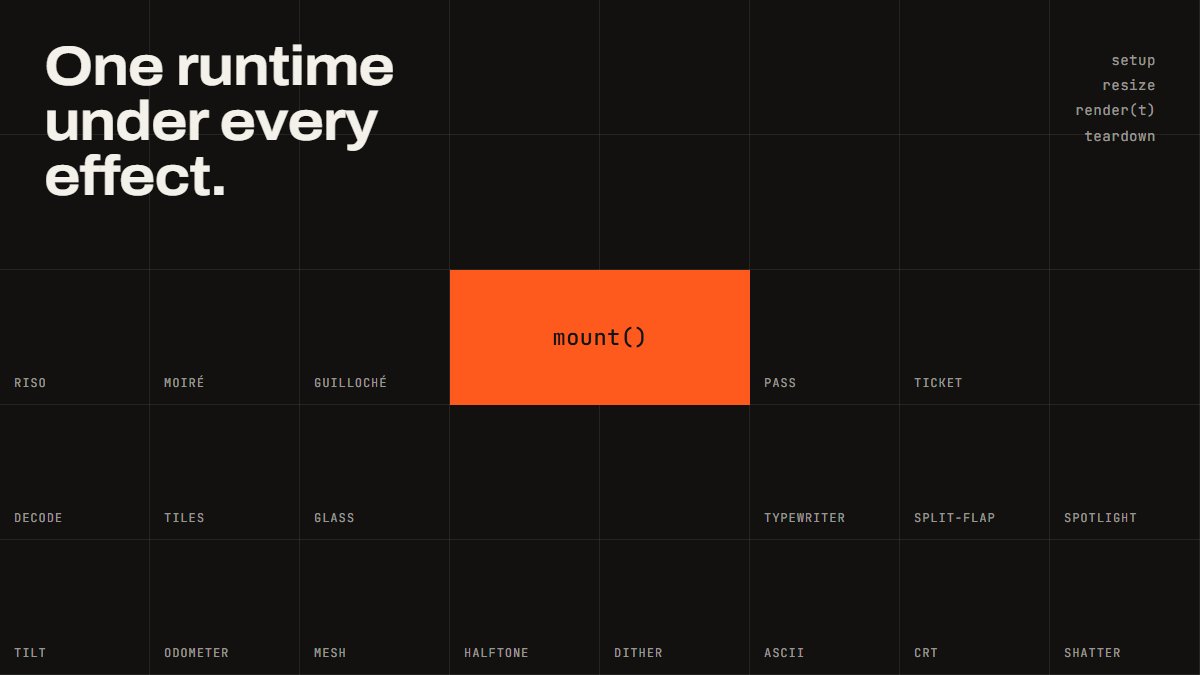
That’s the effect. Every button on this site does it. It’s one of the effects from beamish.ink, my library of web effects, and this is the full write-up: what it does, the three decisions that stop it looking cheap, and the code.
A line of text starts as a run of cipher characters and resolves into the real words, one letter at a time, left to right. You’ve seen it on the nav of half the studio sites out there. Most of those versions share the same problems, and fixing them is the whole point of this one.
Nothing moves. The version everybody writes in an afternoon swaps letters in place and lets the browser reflow. A “w” standing in for an “i” is wider, so the line jumps about while it runs. Here every character is measured once and held in a box the width of the letter it will become. The line stays exactly where it is. That’s what makes it usable on a button, where a label that wobbles reads as broken.
The glyphs change on their own clock. If you swap a glyph every frame, a 120Hz screen shows a grey blur and a 30Hz screen shows something being typed in a hurry. The swap rate here is fixed at 18 changes a second regardless of frame rate, so it looks the same on a cheap laptop and a gaming monitor.
It’s pure in time. The glyph at each position is a hash of the position, a seed and the frame number. The same moment always gives the same frame. That means it can be paused, seeked and recorded, and it means two buttons next to each other don’t decode in lockstep.
One more that matters for real sites: the original text stays in the accessibility tree as a single string. A screen reader handed a stream of junk reads out a stream of junk, so it never sees the junk.
Put data-scramble on an element that contains only text, inside a link or a button. The wiring below finds them on page load, builds a decoder the first time you hover, plays it on enter and settles it on leave. Touch devices and people with reduced motion switched on get the plain text and nothing else.
<a href="/contact/" class="button">
  <span data-scramble>Tell me about your project</span>
</a>
// The hover wiring on oscarbeamish.com. Put data-scramble on any element whose
// children are text only, inside a link or button, and this does the rest.
import { DecodeText } from './decodeText';

const OPTIONS = { stagger: 28, hold: 90 };
const HOSTS = 'a, button';
const instances = new Map();

function decoderFor(el) {
  let decoder = instances.get(el);
  if (!decoder) {
    decoder = new DecodeText(el, OPTIONS);
    instances.set(el, decoder);
  }
  return decoder;
}

function init() {
  // Hover only. A touch device has no hover, and a screen reader user has no
  // use for the run, so neither gets it.
  if (!window.matchMedia('(hover: hover)').matches) return;
  const reduced = window.matchMedia('(prefers-reduced-motion: reduce)');

  document.querySelectorAll('[data-scramble]').forEach((el) => {
    const host = el.closest(HOSTS) || el;
    if (host.dataset.decodeBound) return;
    host.dataset.decodeBound = '1';

    const labels = () => Array.from(host.querySelectorAll('[data-scramble]'));

    host.addEventListener('mouseenter', () => {
      if (reduced.matches) return;
      labels().forEach((label) => decoderFor(label).play());
    });
    host.addEventListener('mouseleave', () => {
      labels().forEach((label) => instances.get(label)?.cancel());
    });
  });
}

init();
This is the library file, TypeScript, no dependencies. Drop the types if you’re not using TypeScript; nothing else changes. The comments are part of it. They explain each decision at the point it’s made, which is more useful than me repeating them here.
/*
 * DecodeText: Beamish
 * https://beamish.ink/effects/decode-text
 *
 * Ported from the beamish.ink effects library (MIT, Oscar Beamish). The effect
 * logic is the library's DecodeTextSurface, kept intact; the runtime it plugs
 * into there (canvas, recorder, scroll sampling, intersection gating) is not
 * needed for a hover, so this file carries a small play/cancel loop of its own.
 *
 * Text that resolves out of a run of cipher glyphs, one character at a time.
 *
 * No canvas and no dependencies. It takes an element that already contains
 * text, splits it, and swaps the characters that have not landed yet. The
 * original string stays in the accessibility tree as one label, because a
 * screen reader handed a live stream of junk reads out a live stream of junk.
 *
 * Three decisions separate this from the version everybody writes in an
 * afternoon:
 *
 *   It is pure in `t`. The glyph at each position is a hash of the position,
 *   the seed and the frame number, so the same `t` always gives the same frame.
 *
 *   The glyphs change on their own clock rather than per frame. At 120Hz a
 *   per-frame swap is a grey blur with no characters in it; at 30 it reads as
 *   text being typed by something in a hurry. Pinning the cadence means the
 *   effect looks the same on a 60Hz laptop and a 144Hz monitor.
 *
 *   Nothing moves. Each character is measured once and held in a box the width
 *   of the letter it will become, so a label decoding in the middle of a page
 *   does not push the rest of the page about while it does it.
 */

export type DecodeTextOrder = 'forward' | 'reverse' | 'centre' | 'random';

export type DecodeTextOptions = {
  /** The characters it cycles through before each letter lands. */
  glyphs: string;
  /** The order the characters land in. */
  order: DecodeTextOrder;
  /** Milliseconds between one character landing and the next. */
  stagger: number;
  /** Milliseconds of cipher before the first character lands. */
  hold: number;
  /** Glyph changes per second. This is a cadence, not a frame rate. */
  rate: number;
  /** How much paler an unlanded glyph is than the settled text, 0 to 1. */
  dim: number;
  /** Hold each character in a box the width of the letter it will become. */
  steady: boolean;
  /** Seed for the glyphs and the random order. The same seed gives the same run. */
  seed: number;
};

/* The library defaults, from effects/decode-text/meta.json. */
export const decodeTextDefaults: DecodeTextOptions = {
  glyphs: 'ABCDEFGHIJKLMNOPQRSTUVWXYZ0123456789#%&*+-=?/<>[]{}',
  order: 'forward',
  stagger: 45,
  hold: 160,
  rate: 18,
  dim: 0.45,
  steady: true,
  seed: 7,
};

/*
 * A hash rather than a generator. A generator has to be run in order and from
 * the start, which is the whole problem: this has to answer what is at position
 * 12 on frame 40 without having drawn frames 0 to 39.
 */
function hash3(a: number, b: number, c: number): number {
  let h = Math.imul(a | 0, 0x27d4eb2d) ^ Math.imul(b | 0, 0x165667b1);
  h = Math.imul(h ^ (h >>> 15), 1 | (c | 0));
  h = (h + Math.imul(h ^ (h >>> 7), 61 | h)) ^ h;
  return ((h ^ (h >>> 14)) >>> 0) / 4294967296;
}

function orderFor(mode: DecodeTextOrder, count: number, seed: number): number[] {
  const indices = Array.from({ length: count }, (_, i) => i);
  if (mode === 'reverse') return indices.map((i) => count - 1 - i);
  if (mode === 'centre') {
    const middle = (count - 1) / 2;
    return indices.map((i) => Math.round(Math.abs(i - middle)));
  }
  if (mode === 'random') {
    // A shuffled rank per character, not a shuffled list: each letter keeps its
    // place in the word and only its turn changes.
    const ranks = indices.slice();
    for (let i = ranks.length - 1; i > 0; i--) {
      const j = Math.floor(hash3(i, 0, seed) * (i + 1));
      const swap = ranks[i]!;
      ranks[i] = ranks[j]!;
      ranks[j] = swap;
    }
    return ranks;
  }
  return indices;
}

/*
 * Whitespace and punctuation are left alone. They carry the shape of the
 * sentence, and a line with its spaces scrambled is not text being decoded, it
 * is a block of noise. Leaving the spaces also keeps the word wrapping intact.
 */
const SCRAMBLES = /[a-z0-9]/i;

/*
 * A substitute takes the case of the letter it is standing in for. The glyph
 * set is written in capitals because that is how everybody writes one, and a
 * capital standing in a lowercase box is both too wide for it and too tall for
 * the line. Matching the case fixes the width and the height at the same time.
 */
function matchCase(glyph: string, letter: string): string {
  if (letter >= 'a' && letter <= 'z') return glyph.toLowerCase();
  if (letter >= 'A' && letter <= 'Z') return glyph.toUpperCase();
  return glyph;
}

const REDUCED_MOTION_QUERY = '(prefers-reduced-motion: reduce)';

export class DecodeText {
  private host: HTMLElement | null;
  private opts: DecodeTextOptions;
  private original = '';
  private cells: HTMLElement[] = [];
  private letters: string[] = [];
  private ranks: number[] = [];
  private pools: string[][] = [];
  private probe: HTMLElement | null = null;
  private built = false;
  private measured = false;
  private measuredFor = '';
  private measuredAt = 0;
  private fontsPending = false;

  private raf = 0;
  private start = 0;
  private running = false;
  private destroyed = false;

  constructor(el: HTMLElement, opts: Partial<DecodeTextOptions> = {}) {
    this.host = el;
    this.opts = { ...decodeTextDefaults, ...opts };
    this.original = (el.textContent ?? '').replace(/\s+/g, ' ').trim();
  }

  /** The text as found, whitespace collapsed. */
  get text(): string {
    return this.original;
  }

  /** Seconds from t = 0 until the last character has landed. */
  get duration(): number {
    const count = Array.from(this.original.replace(/ /g, '')).length;
    const ranks = this.ranks.length === count ? this.ranks : orderFor(this.opts.order, count, this.opts.seed);
    const maxRank = ranks.reduce((max, rank) => Math.max(max, rank), 0);
    return (this.opts.hold + maxRank * this.opts.stagger) / 1000;
  }

  private build(): void {
    const host = this.host;
    if (!host || this.built) return;

    host.textContent = '';
    this.cells = [];
    this.letters = [];

    // The text a screen reader gets: one string, unchanged, out of sight.
    const label = document.createElement('span');
    label.textContent = this.original;
    label.style.cssText =
      'position:absolute;width:1px;height:1px;margin:-1px;padding:0;overflow:hidden;clip-path:inset(50%);white-space:nowrap;border:0';

    const visual = document.createElement('span');
    visual.setAttribute('aria-hidden', 'true');

    const words = this.original.split(' ');
    words.forEach((word, index) => {
      // Words stay whole so the text still wraps. The characters are swapped
      // inside them, which is the only way to take type apart without taking
      // line breaking apart with it.
      const wrapper = document.createElement('span');
      wrapper.style.display = 'inline-block';
      wrapper.style.whiteSpace = 'nowrap';
      for (const character of Array.from(word)) {
        const cell = document.createElement('span');
        cell.textContent = character;
        cell.style.display = 'inline-block';
        wrapper.append(cell);
        this.cells.push(cell);
        this.letters.push(character);
      }
      visual.append(wrapper);
      if (index < words.length - 1) visual.append(document.createTextNode(' '));
    });

    /*
     * Somewhere to measure glyphs that is inside the element, so it inherits
     * the face, the size and the tracking the text is actually set in. Hidden
     * rather than detached, because a detached node has no font at all.
     */
    const probe = document.createElement('span');
    probe.setAttribute('aria-hidden', 'true');
    probe.style.cssText = 'position:absolute;visibility:hidden;white-space:pre;pointer-events:none;top:0;left:0';
    visual.append(probe);
    this.probe = probe;

    host.append(label, visual);
    this.built = true;

    /*
     * Widths measured in the fallback face are the wrong widths, and the boxes
     * would be pinned to them for the life of the page. Measure again once the
     * real face has arrived.
     */
    if (!this.fontsPending && typeof document !== 'undefined' && document.fonts) {
      this.fontsPending = true;
      document.fonts.ready.then(() => {
        this.measured = false;
      });
    }
  }

  /*
   * Each box is pinned to the width of the letter it will become, and the
   * substitute is centred in it. The alternative, pinning the width of the
   * whole element, stops the page moving but still lets the letters inside it
   * jostle, which is the part that actually catches the eye.
   */
  private measure(steady: boolean, glyphs: string): void {
    const probe = this.probe;
    // The face can change with the viewport, so the boxes are measured again.
    if (this.measured && this.measuredAt !== window.innerWidth) this.measured = false;
    if (this.measured && this.measuredFor === glyphs) return;
    this.measuredFor = glyphs;
    this.measuredAt = window.innerWidth;

    if (!steady || !probe) {
      for (const cell of this.cells) {
        cell.style.width = '';
        cell.style.textAlign = '';
      }
      this.pools = [];
      this.measured = true;
      return;
    }

    // Every character that could be shown, measured once each in this face.
    const widths = new Map<string, number>();
    const width = (character: string): number => {
      const known = widths.get(character);
      if (known !== undefined) return known;
      probe.textContent = character;
      const measured = probe.getBoundingClientRect().width;
      widths.set(character, measured);
      return measured;
    };

    /*
     * The box each letter gets is its advance inside its own word, not the
     * letter measured on its own. A proportional face kerns its pairs, and a
     * T set alone is wider than a T set before an e; pin the boxes to the
     * lone widths and the split word comes out wider than the word it
     * replaced, which is the line moving on hover by another route. The word
     * goes into the probe whole and each character's rect is read from a
     * Range over it, so the boxes add up to exactly the width they had.
     */
    const advances: number[] = [];
    const range = document.createRange();
    for (const word of this.original.split(' ')) {
      probe.textContent = word;
      const node = probe.firstChild;
      let offset = 0;
      for (const character of Array.from(word)) {
        let advance = 0;
        if (node) {
          range.setStart(node, offset);
          range.setEnd(node, offset + character.length);
          advance = range.getBoundingClientRect().width;
        }
        advances.push(advance);
        offset += character.length;
      }
    }
    range.detach();

    const set = Array.from(glyphs);
    this.pools = [];

    for (let i = 0; i < this.cells.length; i++) {
      const cell = this.cells[i]!;
      const letter = this.letters[i]!;
      if (!SCRAMBLES.test(letter)) {
        cell.style.width = '';
        cell.style.textAlign = '';
        this.pools.push([]);
        continue;
      }

      const target = advances[i]! > 0 ? advances[i]! : width(letter);
      cell.style.width = `${target.toFixed(3)}px`;
      cell.style.textAlign = 'center';

      /*
       * The substitutes for this character, nearest in width first. Pinning
       * the box stops the line moving, but on its own it only moves the
       * problem: a w standing in the box of an i overflows it on both sides
       * and collides with its neighbours. Choosing from the glyphs that fit
       * the box is the fix, and it has the side effect of keeping the colour
       * of the line even, because the run never swaps a thin letter for a
       * thick one.
       */
      const nearest = set
        .map((glyph, index) => {
          const fitted = matchCase(glyph, letter);
          return { glyph: fitted, index, gap: Math.abs(width(fitted) - target) };
        })
        .sort((a, b) => a.gap - b.gap || a.index - b.index);

      /*
       * Everything that fits, rather than a fixed number of the nearest. In a
       * monospace face every gap is zero, the sort is a tie the whole way
       * down, and a fixed count hands back whichever glyphs happen to come
       * first in the string. The run then cycles through A to J for ever,
       * which does not read as cipher, it reads as a spelling mistake.
       */
      const tolerance = Math.max(target * 0.14, 0.5);
      const fits = nearest.filter((entry) => entry.gap <= tolerance);
      const pool = fits.length >= 5 ? fits : nearest.slice(0, 5);
      this.pools.push(pool.map((entry) => entry.glyph));
    }

    // Leave nothing in the probe: it is hidden, but it is still in the text.
    probe.textContent = '';
    this.measured = true;
  }

  /** Draw the frame at `t` seconds. Pure in `t`: the same `t` always gives the same frame. */
  render(t: number): void {
    if (this.destroyed) return;
    this.build();
    if (this.cells.length === 0) return;
    const opts = this.opts;
    const glyphs = opts.glyphs.length > 0 ? opts.glyphs : decodeTextDefaults.glyphs;
    this.measure(opts.steady, glyphs);

    if (this.ranks.length !== this.cells.length) {
      this.ranks = orderFor(opts.order, this.cells.length, opts.seed);
    }

    const stagger = opts.stagger / 1000;
    const hold = opts.hold / 1000;
    /*
     * The cadence, floored to a whole number of swaps. Everything still running
     * changes on the same tick, which is what makes the line read as one
     * mechanism rather than as a row of independent ones.
     */
    const frame = Math.floor(t * Math.max(opts.rate, 0.001));
    const dim = String(1 - Math.max(0, Math.min(1, opts.dim)));
    const set = Array.from(glyphs);

    for (let i = 0; i < this.cells.length; i++) {
      const cell = this.cells[i]!;
      const letter = this.letters[i]!;
      const landed = t >= hold + this.ranks[i]! * stagger || !SCRAMBLES.test(letter);
      // The pool is the measured set when the boxes are pinned, and the whole
      // glyph set when they are not, where nothing is being fitted to anything.
      const pool = this.pools[i];
      const pick = (source: string[] | string) =>
        source[Math.floor(hash3(i + 1, frame, opts.seed) * source.length)] ?? letter;
      const next = landed ? letter : pool && pool.length > 0 ? pick(pool) : matchCase(pick(set), letter);

      /*
       * Written only on a change. Setting textContent every frame is a layout
       * invalidation per character per frame, for a string that is usually the
       * same string it was last frame.
       */
      if (cell.textContent !== next) cell.textContent = next;
      const opacity = landed ? '' : dim;
      if (cell.style.opacity !== opacity) cell.style.opacity = opacity;
    }
  }

  /**
   * Run once from t = 0. The loop stops itself a frame after the last
   * character has landed. Calling it mid-run restarts from the top, which is
   * the guard against a cursor swept along a bar stacking runs on one label.
   */
  play(): void {
    if (this.destroyed || !this.host) return;
    if (typeof matchMedia === 'function' && matchMedia(REDUCED_MOTION_QUERY).matches) {
      // WCAG 2.3.3: no loop. The text stays as it is.
      this.cancel();
      return;
    }
    this.stop();
    this.render(0);
    const end = this.duration;
    this.running = true;
    this.start = performance.now();
    const tick = (stamp: number) => {
      if (!this.running) return;
      // A rAF timestamp can be earlier than the performance.now() taken a
      // moment before it, so the clock is clamped at zero rather than run
      // backwards for a frame.
      const t = Math.max(0, (stamp - this.start) / 1000);
      this.render(t);
      if (t > end) {
        this.running = false;
        this.raf = 0;
        return;
      }
      this.raf = requestAnimationFrame(tick);
    };
    this.raf = requestAnimationFrame(tick);
  }

  /** Stop the loop and show the settled text, so nothing is left half decoded. */
  cancel(): void {
    this.stop();
    if (this.built) this.render(this.duration + 1);
  }

  private stop(): void {
    this.running = false;
    if (this.raf) cancelAnimationFrame(this.raf);
    this.raf = 0;
  }

  /** Put the original text back. The element is left as it was found. */
  destroy(): void {
    if (this.destroyed) return;
    this.destroyed = true;
    this.stop();
    if (this.host && this.original && this.built) this.host.textContent = this.original;
    this.cells = [];
    this.letters = [];
    this.ranks = [];
    this.pools = [];
    this.probe = null;
    this.built = false;
    this.measured = false;
    this.measuredFor = '';
    this.host = null;
  }
}

export default DecodeText;
It needs the real font loaded before it measures, otherwise the boxes are the fallback font’s widths. The code re-measures once the fonts arrive, but if you see a flicker on first hover, that’s why.
It’s a hover effect, so it does nothing on phones. I’m fine with that. The alternative, playing it on tap or on scroll, makes people wait to read a button.
And it’s one of those effects where the restraint is the design. Use it on buttons and nav. Don’t put it on the headline.
There are thirty-odd effects on beamish.ink, each on its own page with its code. I’ll take a few more of them apart here over the coming months. If you’d rather I just built the site, that’s the day job.

Other posts on the same ground.