• Web Development
Why Is My Website So Slow? A Plain-English Guide to Fixing It
If your website takes more than three seconds to load, you're losing visitors before they even see what you do. Here's how to find out why, and what to do about it.

Your website is probably slower than you think.
I say that because almost every business owner I talk to assumes their site is fine. They loaded it once on their laptop, on their home wifi, and it seemed alright. But their customers are loading it on a phone, on 4G, while walking down the street. That’s a completely different experience.
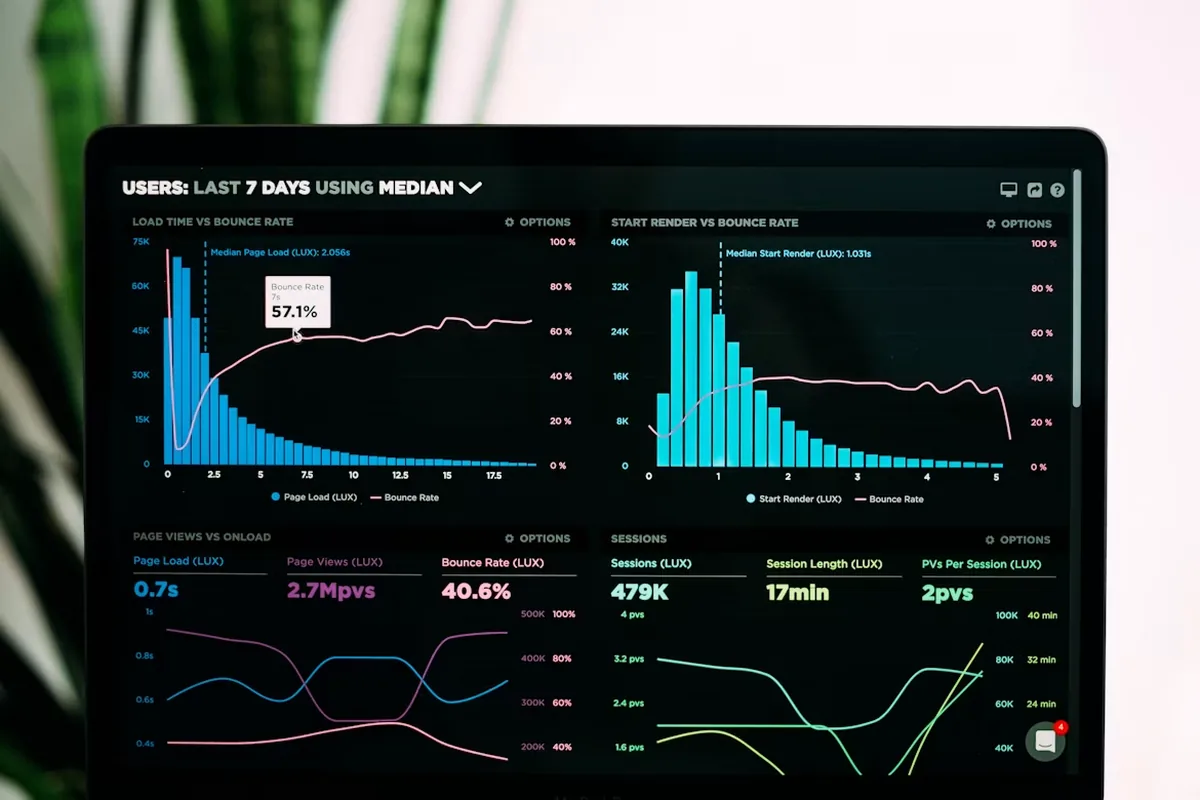
Google’s research says more than half of mobile visitors leave if a page takes longer than three seconds. Three. And most small business websites I test are way past that — five seconds, eight seconds, sometimes ten or more. Every extra second is people leaving before they’ve seen a single word you’ve written.
The annoying part? Most slow websites don’t need to be slow. The fixes are usually dead boring — oversized images, cheap hosting, plugins nobody asked for.
How to actually test your website speed
Before you start fixing anything, you need to know where you stand. The simplest tool is Google’s free PageSpeed Insights. Just type in your web address and hit analyse.
You’ll get a score out of 100 for both mobile and desktop. Don’t panic if the mobile score is lower — that’s normal. But here’s a rough guide:
- 90-100: Excellent. Leave it alone.
- 50-89: Needs some work, but you’re not in crisis.
- Below 50: This is actively hurting your business.
The tool will also give you a list of specific problems and suggestions. Some of it’s technical, but a lot of it is surprisingly readable. The key thing is to actually run the test. Most business owners I speak to have never done this — they just assume everything’s fine because the site “looks alright” on their laptop.
The usual suspects: why most small business sites are slow
In ten years of building websites, the same handful of problems come up again and again. These are the usual offenders.
Oversized images
This is the number one culprit. By a mile.
Someone uploads a photo straight from their phone or a stock image site. The file is 4MB, 5MB, sometimes more. Your site dutifully tries to load that massive image and displays it in a little 400-pixel-wide box on screen. It’s like shipping a wardrobe when you only need a shoebox.
I worked with a landscaper whose homepage had a beautiful gallery of his work — twelve photos, all uploaded at full resolution from his DSLR. The homepage alone was downloading over 40MB of images. On a decent broadband connection that’s noticeable. On mobile data, it was painful.
Quick win: Before uploading any image, resize it to the actual dimensions you need (usually no wider than 1200-1600 pixels for a full-width image) and compress it. Free tools like Squoosh or TinyPNG can often reduce file sizes by 70-80% with no visible quality loss. Aim for under 200KB per image wherever possible.
Cheap or overloaded hosting
Your hosting is where your website physically lives, and it matters more than most people realise. Budget shared hosting — the kind that costs £2-3 a month — means your site is sharing server resources with hundreds or even thousands of other websites. When those other sites get busy, yours slows down.
Think of it like a shared office internet connection. Fine when it’s just you, terrible when everyone’s on a video call.
I’m not saying you need to spend a fortune. But the difference between £3/month hosting and £10-15/month hosting can be dramatic. If your hosting provider’s name comes up a lot in “worst hosting” forum threads, that’s a sign.
Quick win: Ask your hosting provider which data centre your site is on. If you’re a UK business targeting UK customers and your site is hosted in the US, that’s adding unnecessary delay to every single page load. Get it moved closer to your audience.
Too many plugins
This one’s mainly for WordPress sites, but the principle applies anywhere. Every plugin you install adds code that needs to load. Some plugins are well-built and lightweight. Others are bloated nightmares that load scripts and stylesheets on every single page, whether they’re needed or not.
I’ve seen WordPress sites with 40+ active plugins. Slider plugins, social media plugins, popup plugins, SEO plugins, security plugins, caching plugins (ironically sometimes making things slower), and half a dozen others the owner didn’t even remember installing.
Quick win: Go through your plugin list and be ruthless. If you installed something three years ago and can’t remember why, deactivate it. If your site still works fine without it, delete it. Every plugin you remove is a potential speed improvement.
Heavy themes and page builders
That premium theme you bought for £50 might look stunning in the demo, but it’s often loaded with features you’ll never use. Animated counters, parallax scrolling, built-in mega menus, custom fonts, icon libraries — all loading on every page whether you use them or not.
Page builders like Elementor, Divi, and WPBakery can be particularly bad for this. They generate a lot of extra code to make the drag-and-drop editing work, and that code has to load every time someone visits your site.
I’m not saying don’t use them — they’re genuinely useful for people who aren’t developers. But know that there’s a performance trade-off, and look for lightweight alternatives if speed is a priority.
Third-party scripts and tracking codes
Google Analytics, Facebook Pixel, live chat widgets, cookie consent banners, embedded maps, YouTube videos, social media feeds… every one of these loads external code from someone else’s server. You’re at the mercy of their speed as well as your own.
I audited a client’s site once and found seven different tracking scripts, three of which were for services they no longer used. Removing the dead ones shaved a full second off their load time.
Quick win: Check what’s actually running on your site. In Chrome, right-click anywhere, select “View Page Source,” and look for <script> tags pointing to external domains. If you see services you don’t recognise or no longer use, get rid of them.
Core Web Vitals: what Google actually cares about
You might have heard the term “Core Web Vitals” thrown around. It sounds technical, but the concept is simple. Google measures three things about your site’s user experience:
Largest Contentful Paint (LCP) — How long does it take for the main content to appear? When someone lands on your homepage, how quickly do they actually see something useful? Google wants this under 2.5 seconds.
Interaction to Next Paint (INP) — When someone clicks a button or taps a link, how quickly does the page respond? If there’s a noticeable lag between tapping “Add to basket” and something happening, that’s a poor INP score. Google wants this under 200 milliseconds.
Cumulative Layout Shift (CLS) — Does stuff jump around while the page loads? You know when you’re about to tap a link and suddenly an advert loads above it, pushing everything down, and you tap the wrong thing? That’s layout shift, and Google (rightly) hates it.
These three metrics directly affect where your site appears in Google search results. Not massively — content quality still matters more — but if two sites are otherwise equal, the faster one wins. And if your site is not getting enquiries, poor Core Web Vitals could be one of the reasons.
Quick wins you can do today
You don’t need a developer for everything. Here are things you can tackle this afternoon:
Run the speed test. Go to PageSpeed Insights and test your homepage plus your two or three most important pages. Write down the scores.
Compress your images. Download the images from your site, run them through Squoosh, and re-upload the smaller versions. This alone can cut load times in half.
Remove plugins you don’t need. Be honest about what’s actually doing something useful.
Delete tracking scripts for services you no longer use. Old analytics codes, defunct chat widgets, abandoned A/B testing tools — they all add up.
Enable caching. If you’re on WordPress, install a caching plugin like WP Super Cache or W3 Total Cache. It stores pre-built versions of your pages so your server doesn’t have to rebuild them for every visitor.
Check your hosting location. UK business? UK hosting. It’s that simple.
Lazy load your images. This means images below the fold (the part of the page you have to scroll to see) only load when the visitor scrolls down to them. Most modern WordPress themes have this built in — you just need to turn it on.
When DIY fixes aren’t enough
I’ll be straight with you. Sometimes the quick wins aren’t enough.
If your site is built on an outdated platform, using a theme that hasn’t been updated in years, with a database that’s never been optimised — you can compress images and remove plugins until you’re blue in the face, and it’ll still be slow. You’re polishing a car with a seized engine.
Sometimes the honest answer is that the site needs to be rebuilt. Not necessarily from scratch — often the content, branding, and structure are fine. It’s the underlying technology that’s the problem. A modern, well-built site on decent hosting should load in under two seconds without breaking a sweat. If yours can’t manage that after you’ve tried the fixes above, the platform itself might be the bottleneck.
This is especially true if your site is more than four or five years old. Web technology moves fast, and a site built in 2021 was built in a very different landscape. If you’re wondering whether it’s time for a refresh, I wrote about the signs that it’s time to replace your website — worth a read if any of this resonates.
Speed isn’t just about patience — it’s about trust
Something that doesn’t get talked about enough: a slow website doesn’t just frustrate people. It makes them trust you less.
We’ve all been conditioned by Amazon, Google, and the other big players to expect instant responses. When a site loads slowly, there’s a subconscious reaction — “this doesn’t feel right.” It’s the same instinct that makes you leave a shop if the lights are flickering and the shelves are half empty. Nothing’s technically wrong, but something feels off.
For small businesses especially, your website is often the first impression. Before someone picks up the phone or sends an enquiry, they’re checking you out online. If your site is slow, clunky, or feels dated, they’ll move on to the next option. They won’t tell you — they’ll just quietly choose someone else. And you’ll never know it happened.
What I’d do if it were my site
If a friend asked me to sort their slow website, here’s the order I’d tackle things:
- Images first. Biggest impact, easiest fix.
- Remove unnecessary plugins and scripts. Quick and free.
- Check hosting. Upgrade if needed — £10/month is nothing compared to lost business.
- Test again. See where you stand after the easy stuff.
- Get professional help for the rest. If the score’s still poor, the remaining issues are likely technical — server configuration, code optimisation, database queries. That’s developer territory.
If you’ve run the speed test and the numbers aren’t great, or you’ve tried the quick fixes and things haven’t improved much, get in touch. I’ll take a look and tell you honestly whether it’s fixable or whether you’d be better off starting fresh. No jargon, no hard sell — just straight answers about what’s actually going on and what it would take to sort it.
Your website should be working for you, not against you. And it definitely shouldn’t be driving customers to your competitors while you wonder why the phone’s gone quiet.
10 min read

Oscar Beamish
Freelance Web Developer, Bristol
I build custom websites and HTML5 banner campaigns for clients across the UK. 10+ years of experience, clients include Sony, Activision, and Riff Raff Entertainment (Jude Law). More about me →