• Web Development
Your Website Isn't Getting Enquiries? Here's a 20-Minute Diagnostic You Can Do Right Now
You paid for a website. It looks fine. But the phone isn't ringing and the inbox is empty. Before you bin it and start again, check these things first.

Your website isn’t getting enquiries? Here’s a 20-minute diagnostic you can do right now
A decorator in Bath told me last month that his website had been live for two years and he’d never received a single enquiry through it. Not one. He was paying £30 a month for hosting and had spent £2,000 getting it built. He assumed the site just didn’t work for his industry.
I looked at it for five minutes and found the contact form was sending submissions to an email address his old developer had set up. An inbox nobody was checking. Two years of potential leads, gone.
That’s an extreme example. But I see some version of this constantly. A business spends good money on a website, it looks decent enough, but it sits there doing absolutely nothing. The owner starts to think websites just don’t work for businesses like theirs.
They’re almost always wrong. The website isn’t broken as a concept. Something specific is broken, and it’s usually fixable. Here’s how to figure out what.
First: is your contact form actually working?
I’m putting this first because it’s the most common problem I find, and the most painful. You could be doing everything else right and still losing every single lead because your form is broken.
Go to your website right now. Fill in the contact form yourself. Use a different email address from the one you normally check. Hit send.
Did you get the submission? Check your spam folder. Check any forwarding rules. If you’re using a service like Contact Form 7 on WordPress, log into the backend and check whether submissions are being stored there. Some forms save submissions to the database even when the email fails to send.
If you’ve got a phone number on your site, try calling it too. I’ve seen businesses list numbers that ring out, or go to a voicemail box that’s full, or connect to a line they disconnected two years ago.
This takes three minutes and it’s the single most important thing on this list.
Is your site actually showing up on Google?
Open a private/incognito browser window and search for your business name. If your own website doesn’t appear on the first page for your exact business name, something’s seriously wrong.
Next, try searching for what you actually do, plus your area. “Plumber in Bristol.” “Wedding photographer Somerset.” “Accountant near me.” You probably won’t be number one. That’s fine. But if you’re not on the first two pages at all, your site isn’t getting found by people who don’t already know about you.
A few things to check. Does your site have a proper page title and meta description on every page? These are the bits of text Google shows in search results. If they say “Home” or “Welcome to my website” then you’re wasting the one chance you get to convince someone to click.
Does your site have individual pages for the services you offer? A single “Services” page that lists everything in bullet points won’t rank for any of those services specifically. A dedicated page about each service, with proper headings and useful content, gives Google something to actually show people.
If you’re a local business, make sure your Google Business Profile is set up and linked to your website. That’s the box that appears on the right side of Google with your address, hours, and reviews. It drives a huge amount of local traffic and it’s free. I’ve written a separate guide on setting that up if you need it.
How does your site look on a phone?
Pull out your phone and visit your own website. Actually use it. Try to find your phone number. Try to fill in the contact form. Try to read a full page of content.
Over 60% of web traffic is mobile now. For local service businesses it’s often higher than that. If your site is annoying to use on a phone, most of your visitors are having a bad experience.
Common problems I see: text that’s too small to read without zooming in. Buttons that are too close together so you keep tapping the wrong one. Images that take forever to load on mobile data. Pop-ups that cover the entire screen and can’t be closed easily.
Google also factors mobile experience into search rankings. A site that’s painful on mobile will rank lower than a competitor’s site that works well. So this affects both the experience people have when they arrive and whether they find you in the first place.
How fast does your site load?
Go to PageSpeed Insights and type in your website address. It’ll give you a score out of 100 for both mobile and desktop.
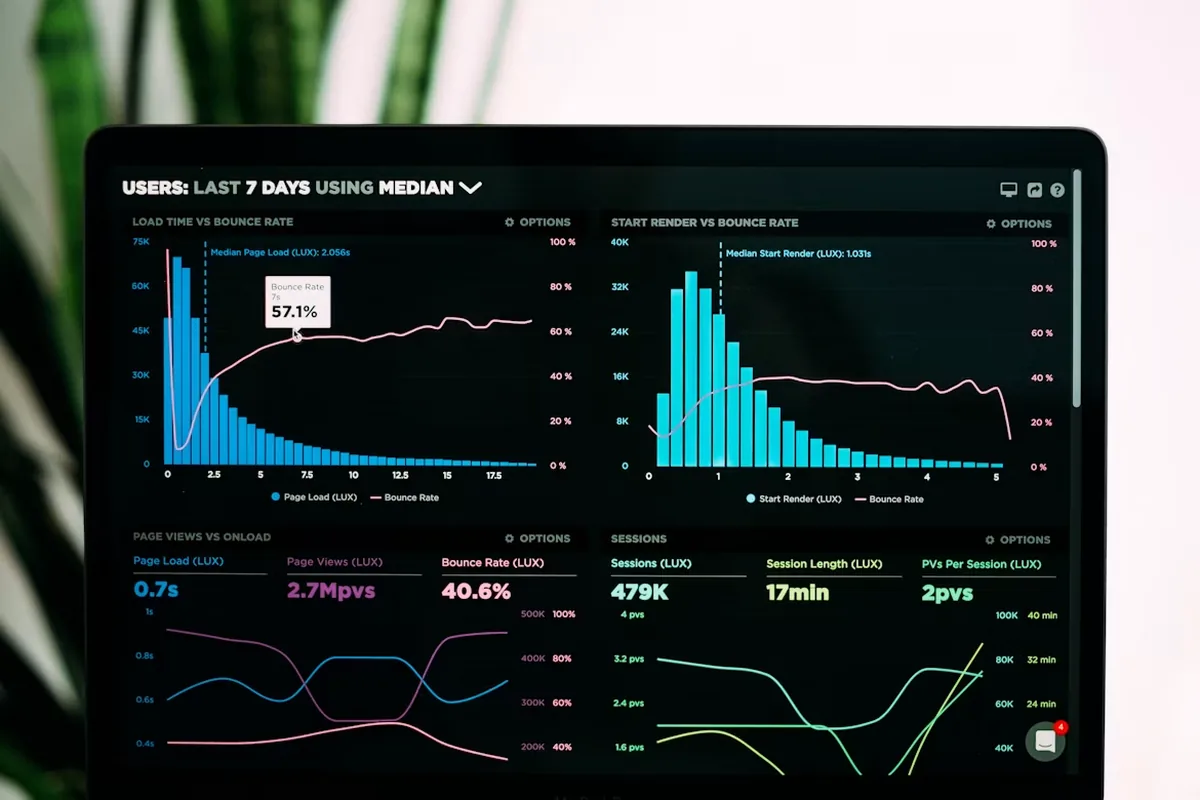
If you’re scoring below 50 on mobile, you’ve got a problem. Every second your site takes to load, you’re losing visitors. People aren’t patient. If your site takes four or five seconds to appear on a phone, a good chunk of visitors will hit the back button before they see anything at all.
The usual culprits are massive images that haven’t been compressed, too many plugins or scripts loading, and cheap hosting. Large hero images are the worst offenders. I regularly see business websites loading a 4MB photo on the homepage when a 200KB version would look identical.
This is one area where a custom-built site has a real advantage over template-heavy WordPress builds. When a site’s built with performance in mind from the start, it loads fast without needing a caching plugin to paper over the cracks.
Does your site give people a reason to trust you?
Put yourself in a stranger’s shoes. They’ve found your website through Google. They don’t know you. They’re trying to decide whether to fill in your contact form or go back and try the next result.
What on your site tells them you’re legitimate and good at what you do?
Real photos matter. Stock photos of handshakes and smiling call centre workers do nothing for trust. People have seen them thousands of times on thousands of sites. A slightly wonky photo of your actual team, your workshop, or a finished project is worth ten polished stock images. It proves you’re real.
Testimonials and reviews. If you’ve got happy clients, their words belong on your website. Not buried on a testimonials page nobody visits, but scattered throughout your site near the relevant services. A quote from a real person with their name carries serious weight. Even better if you can link to their Google review.
Your address and phone number. If you’re a local business, show your location. People searching for services in their area want to know you’re actually nearby. An address in the footer of every page does this quietly and effectively. If you’re a Bristol-based business, mentioning that clearly on your homepage helps both visitors and search engines understand where you operate.
About page with a face. People want to know who they’re dealing with. A photo of you, a paragraph about your experience, maybe how long you’ve been in business. Nothing fancy. Just enough that visitors feel like they’re hiring a person, not clicking into a void.
Are you actually asking people to get in touch?
This sounds obvious but it catches people out constantly. Your website might explain what you do, show nice photos of your work, have a working contact form tucked away on the contact page. But if you’re not actively asking people to get in touch, many of them won’t.
Every page on your site should have a clear next step. That might be “Call us for a free quote” with your phone number right there. Or a button that says “Get in touch” and takes them to your contact page. Or even just “Want to talk about your project? Here’s how to reach me.”
The technical term is a call to action. But really it’s just common sense. You’ve got someone interested enough to read about your services. Don’t make them hunt for how to reach you. Tell them. On every page.
I see a lot of sites where the only way to get in touch is a “Contact” link in the navigation menu. That’s not enough. Put a button or phone number in the main content of every page. Make it impossible to miss.
Is your content actually useful?
Read your own homepage as if you’ve never seen it before. Does it tell a visitor, within five seconds, what you do and who you do it for?
A lot of business websites open with vague statements. “Delivering excellence since 2005.” “Your trusted partner for all your needs.” These say nothing. Compare that with “I build websites for small businesses in Bristol. Fixed prices, no jargon, sites that actually get you customers.” One tells a visitor exactly what they’re getting. The other tells them nothing.
Your service pages should answer the questions a potential customer actually has. How much does it cost? How long does it take? What’s included? What’s not included? If you’re cagey about pricing, visitors will assume it’s either too expensive or that you’re hiding something.
Write like a human being. Nobody reads corporate waffle. If your site reads like it was written by a committee, or if every page sounds like a brochure from 2010, it’s time for a rewrite. Short sentences. Plain English. Say what you mean.
The 20-minute checklist
Here’s the quick version. Set a timer and work through these:
- Send a test message through your contact form. Check it arrives.
- Call your own phone number from a different phone.
- Search for your business name on Google in an incognito window.
- Load your site on your phone and try to use it properly.
Those four checks will catch the most common problems. If everything passes, run your site through PageSpeed Insights and read through your homepage with fresh eyes. You’ll almost certainly spot something that could be better.
When to get help
Some of these fixes are things you can sort yourself. Updating your phone number, adding testimonials, writing a better homepage intro. Others need a developer. Page speed improvements, SEO fixes, form debugging, mobile responsiveness issues.
If you’ve worked through this list and you’re not sure what’s wrong, or you can see the problems but don’t know how to fix them, I’m happy to take a look. I do free initial reviews for small businesses. No obligation, no pressure. I’ll tell you what I’d change and roughly what it’d cost, and you can decide from there.
Got a website that’s not pulling its weight? Drop me a message and I’ll have a look. Honest advice, even if the answer is “actually, your site’s fine, the problem’s something else.”
9 min read

Oscar Beamish
Freelance Web Developer, Bristol
I build custom websites and HTML5 banner campaigns for clients across the UK. 10+ years of experience, clients include Sony, Activision, and Riff Raff Entertainment (Jude Law). More about me →